
Label/Value Pair
Overview
Label/Value pairs let a user view read-only, labelled information.
Other names: Definition List
Variations
Emphasized label
Label/Value pairs with a semibold label. These give more emphasis on the label instead of the value.
Emphasized value
Label/Value pairs with a semibold value. These give more emphasis on the value instead of the label.
Usage guidelines
General
Do:
- Use label/value pairs to display groups of read-only data.
- Use label/value pairs to show a read-only version of an editable form.
- Try to keep all label/value pairs in a similar section, with either all labels or values emphasized.
Don’t:
- Use null values. Instead, use a double-dash --.
Content guidelines
Value with icon
An icon can be paired with a value. These icons appear to the left of the value with a margin of 8px between them. These icons are not interactable or change state.
Length
If necessary, the label/value pair can wrap to additional lines.
When to use emphasized labels:
If the value isn't easily recognizable, like in a URL or values with mixed characters.
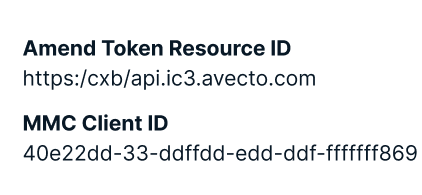
Example of emphasized label.
When to use emphasized values:
If the value is recognizable.
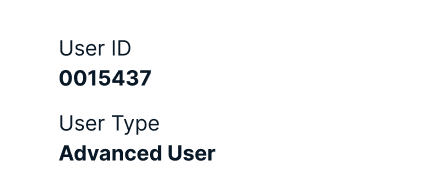
Example of emphasized value.
Related
Referenced in this section:
Updated 8 days ago